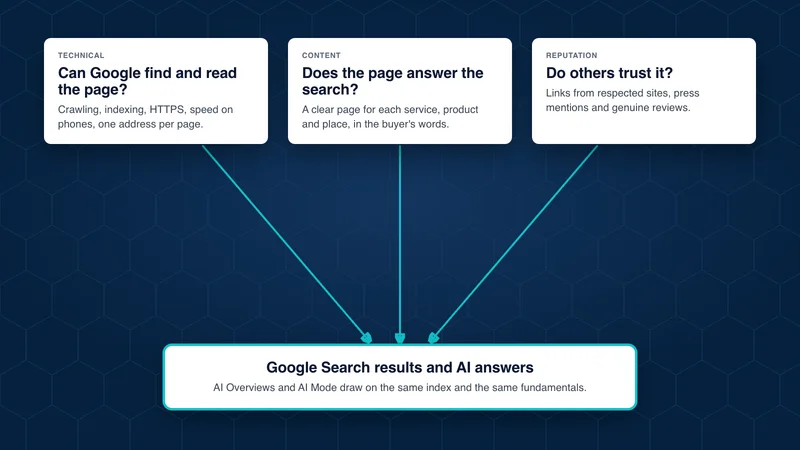
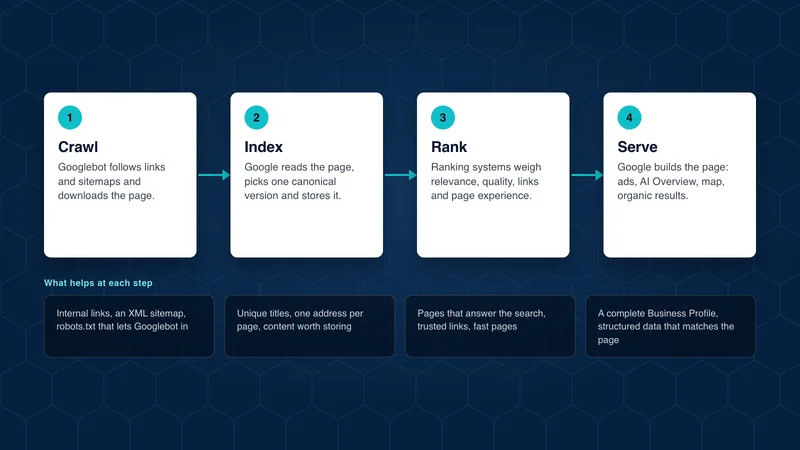
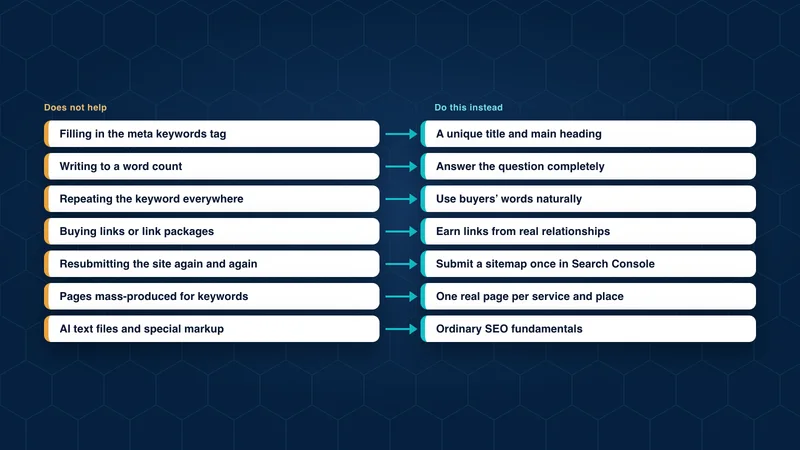
This guide is for an owner or marketing lead who wants a quick, honest read on their website’s search health without hiring anyone yet. Each step uses free tools from Google, and each one builds on the last.
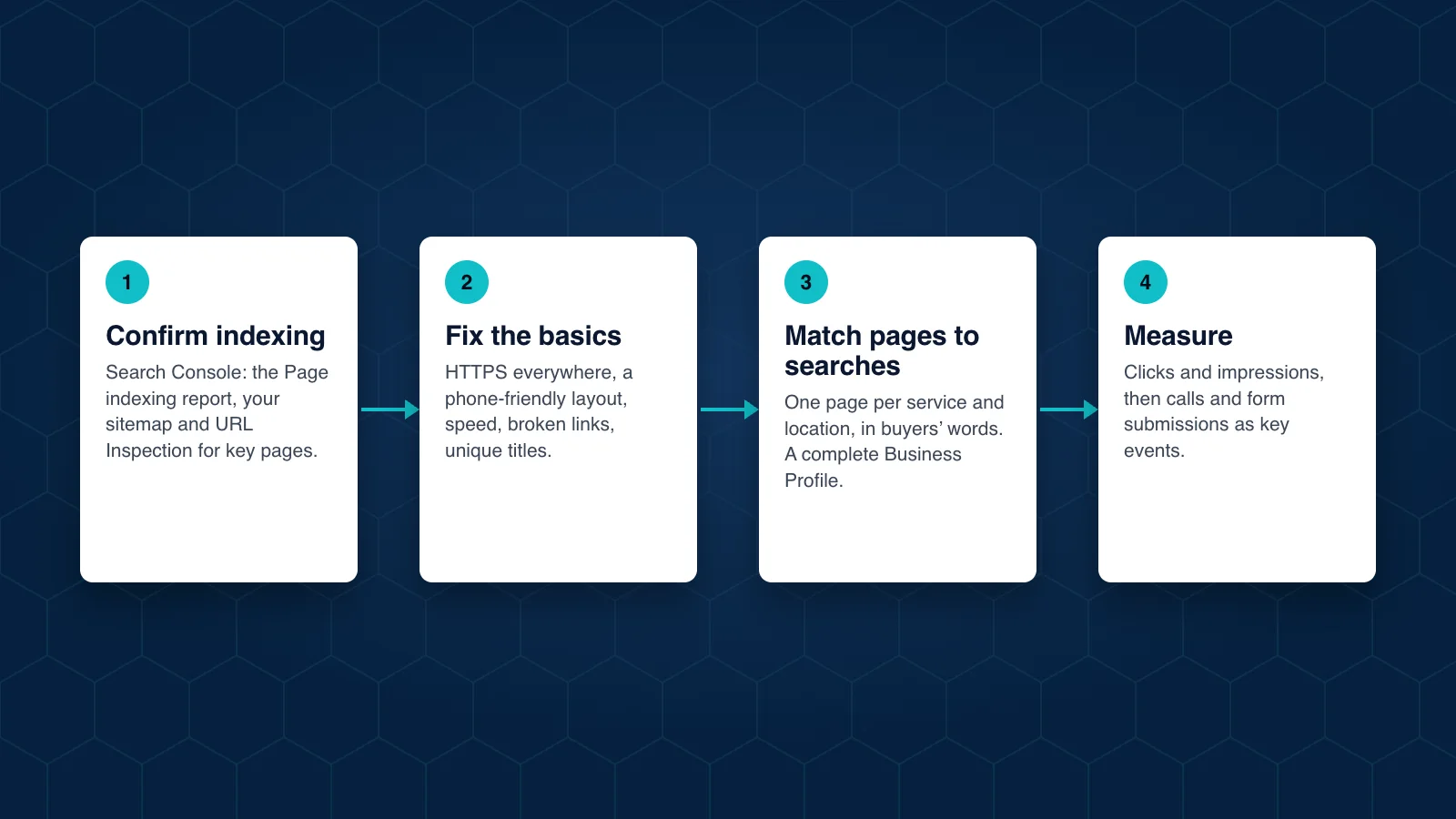
Step 1: Confirm Google can index your site
Set up Google Search Console for your domain if you have not already. It is free and it is the only place Google reports directly on how it sees your site.
Then check:
- Page indexing report. How many pages are indexed, and which are not, with the reason for each. Look for important service or location pages in the “not indexed” list.
- Sitemaps. Submit your XML sitemap and confirm Google read it without errors.
- URL Inspection. Paste in your most important page and confirm it is indexed and that Google sees the content you expect.
If key pages are missing from the index, fix that before anything else.
Step 2: Fix the technical basics
These are the problems that quietly hold back an otherwise good site:
- HTTPS everywhere, with old
http://addresses and other variants redirecting to one version of each page. - Mobile layout. Open your key pages on a phone. Text should be readable, buttons tappable, and nothing should cover the content.
- Speed. The Core Web Vitals report in Search Console shows which pages are slow for real visitors. Our page experience article explains the measures.
- Broken links and old addresses. Pages that return errors waste visitors and crawling. Redirect retired pages to their closest replacement.
- Titles and descriptions. Each page needs its own title that says what the page offers, and a description that would make a buyer click.
Step 3: Match pages to real searches
Make a list of what your buyers actually type. Start with your services, products and locations, then add the questions your sales and service teams hear every week. Search Console’s Performance report shows the searches you already appear for, which is often more useful than any keyword tool.
For each important search, there should be one page on your site that answers it best. Common gaps:
- One page listing every service, instead of a page for each.
- No page for each location or service area, so Google has nothing specific to show for a local search.
- Pages written in internal language that buyers do not use.
Also check your Google Business Profile for each location: correct name, address, phone number, hours, categories and services.
Step 4: Measure what matters
Rankings move every day and vary by location, so treat them as a rough guide. Measure these instead:
- Clicks and impressions in Search Console for the pages that sell your services. Google includes traffic from AI Overviews and AI Mode in the same report.
- Calls, form submissions and quote requests from organic visitors, tracked as key events in Google Analytics 4. Our analytics setup guide shows how.
- Calls and website clicks from your Business Profile.
What this checklist leaves out
These four steps find the problems most sites have. They do not replace the longer work that builds rankings over months: content that earns attention, links from respected sites and a structure that grows with the business. Our article on long-term SEO covers that work, and 7 SEO tactics that do not help lists what to avoid.